New Product Team Template and Insight Enhancements
By Team at Lean Agile Intelligence
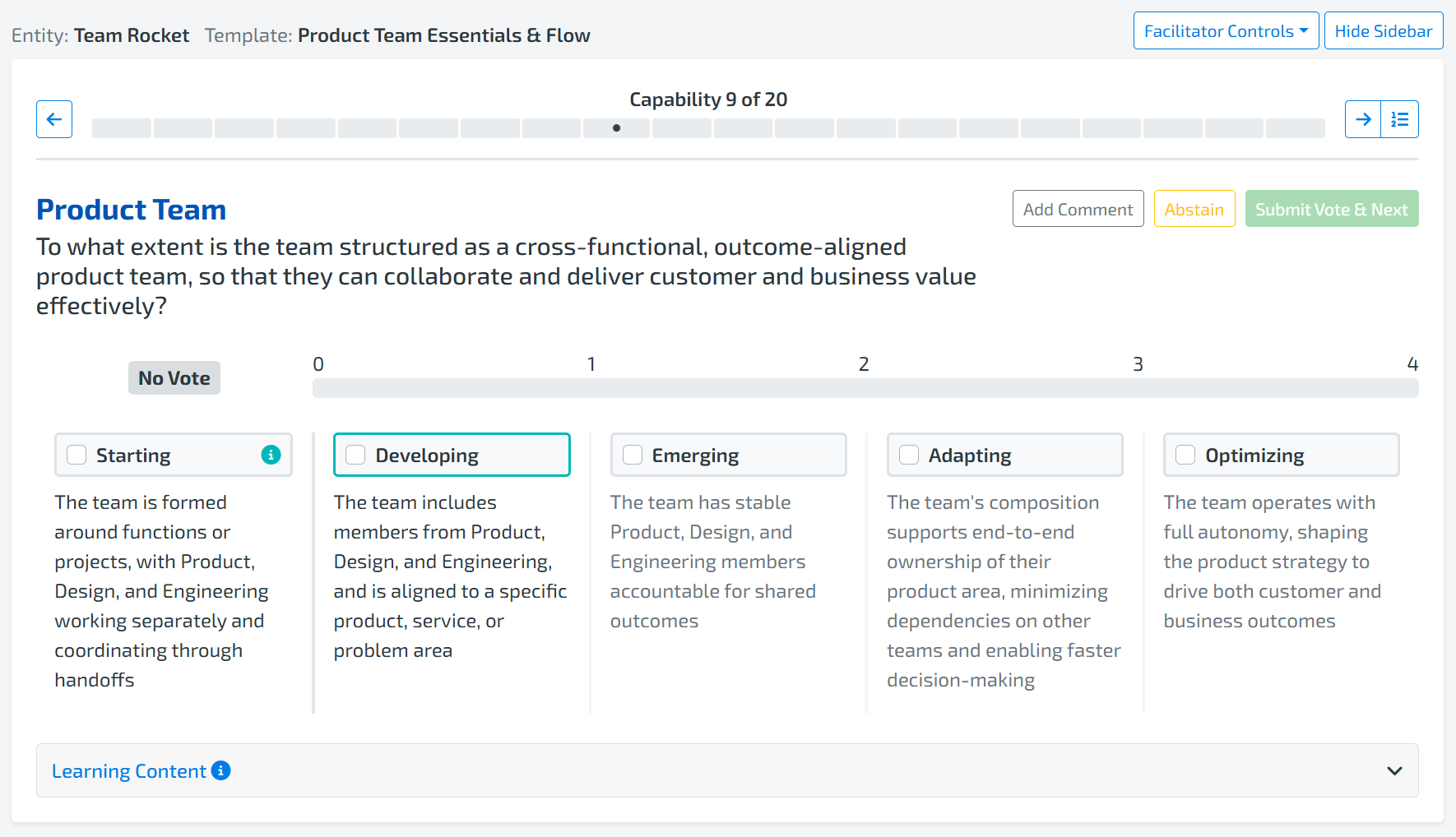
This release includes a set of enhancements focused on clarity, usability, and better decision-making across the platform. From new templates and refined metrics to improved voting signals and visual updates, these changes are designed to make assessment results easier to interpret, discussions more intentional, and next steps more actionable.
Together, they help teams and leaders spend less time deciphering results and more time turning insight into meaningful action.
We’re also excited to introduce a new Premium Template: Product Team Essentials & Flow, designed to help organizations better understand how product teams are actually operating day to day and how those behaviors impact flow, speed, and outcomes.
Keep reading to learn more.
⚡ Product Team Essentials & Flow Premium Template
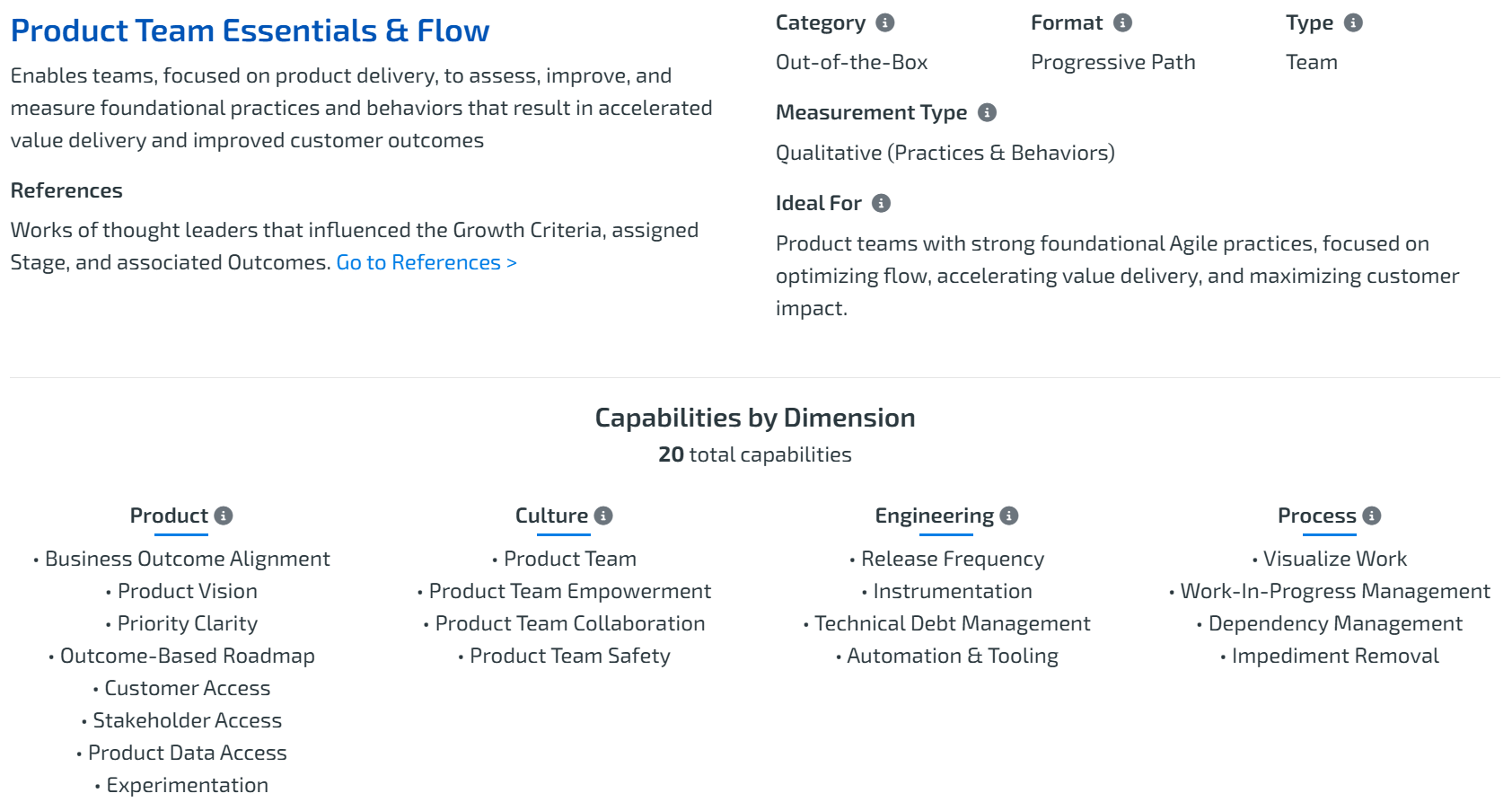
Product Operating Models succeed or stall based on what happens inside product teams. This new template is designed to help leaders and teams move beyond assumptions and see what’s really happening in daily work.
With this template, teams can:
-
See how product teams are actually operating
-
Identify behavior gaps limiting flow and speed
-
Focus improvement efforts where they matter most
-
Create alignment between intent and execution
This template focuses on what matters most inside product teams.
Not theory. Not intent. But observable behaviors that influence delivery, decision-making, and value flow.
It’s a practical lens into product team reality — designed to support learning, enablement, and action.
👉 Interested in taking it for a spin? Join the Beta Program here
🔍 Improvements That Make Insights Clearer & More Actionable
1. Clearer Progress With Raw Point Value
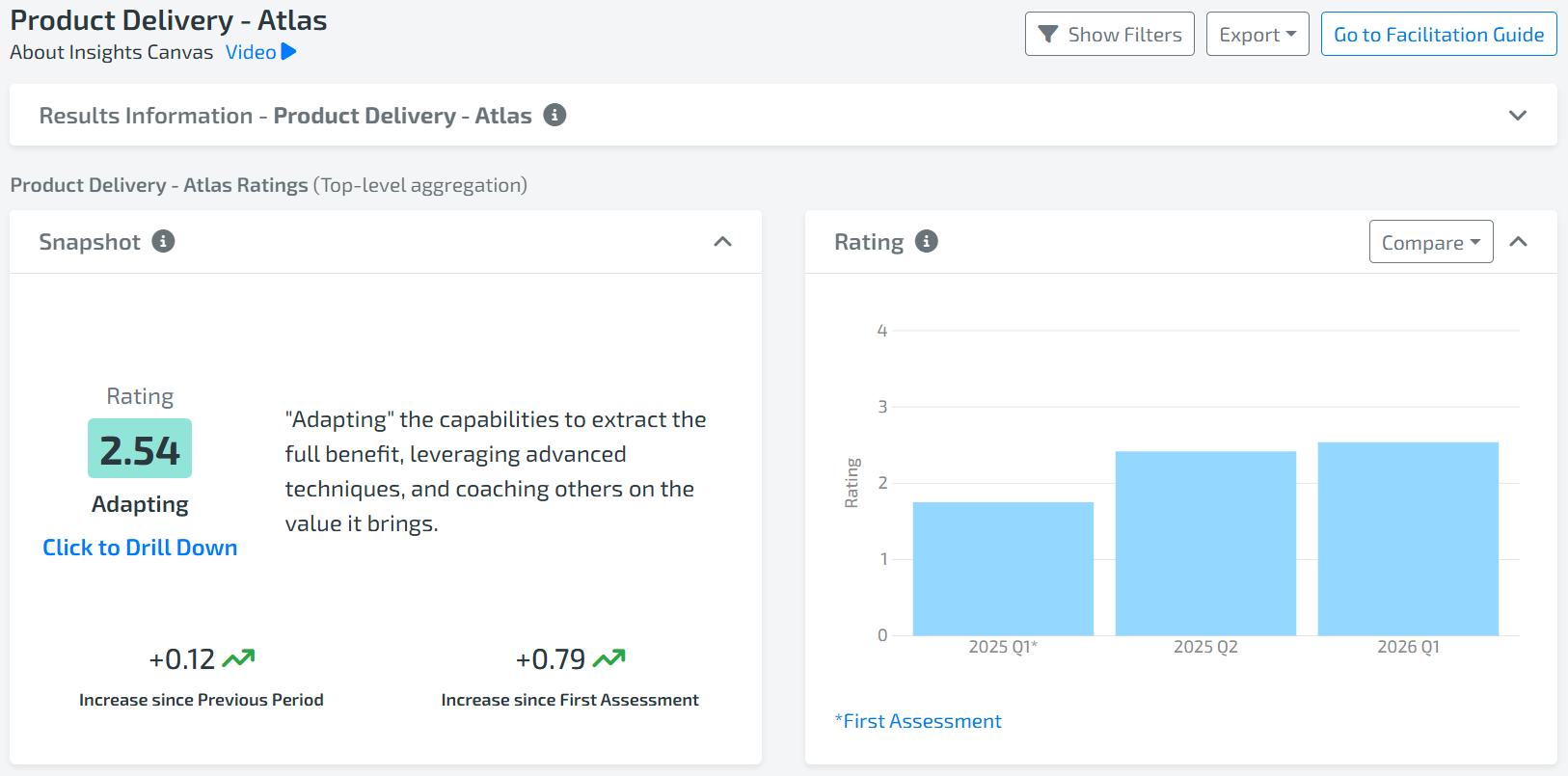
To reduce confusion and make changes easier to interpret, we’ve moved away from directional arrows and now show raw point value increases and decreases.
What’s changed:
-
Directional arrows are removed
-
Changes are shown with explicit values (e.g. +1.24, -0.19, -0.90)
-
Values always display two decimal places, consistent with ratings
-
Zero change is displayed as +0.00
This makes progress more precise, transparent, and easier to understand at a glance.
Check out the documentation here.
2. Improved Variability Ranges
We’ve refined variability ranges to make them easier to understand and more meaningful in practice.
Updated ranges:
-
No Variability: Standard deviation = 0, all votes are the same (No variability)
-
Low: Standard deviation greater than 0 and less than 0.66 (high consensus)
-
Medium: Standard deviation from 0.67 and up to but not including 1.33 (moderate consensus)
-
High: Standard deviation of 1.34 or higher (low consensus)
These updates improve recommendation quality and make it easier to identify criteria to discuss and take action on. Supporting language has also been updated to better reflect what variability signals about alignment and consistency within teams.
Check out the documentation here.
3. Custom Capabilities With the Same Name
You can now create a custom capability with the same name as an out-of-the-box capability.
-
Custom capabilities are clearly marked with a Custom tag
-
This gives you flexibility to tailor capabilities while preserving familiar language
Perfect for adapting assessments without losing shared understanding.
🎨 Experience & Usability Improvements Across the App
1. Styling Improvements Across the App
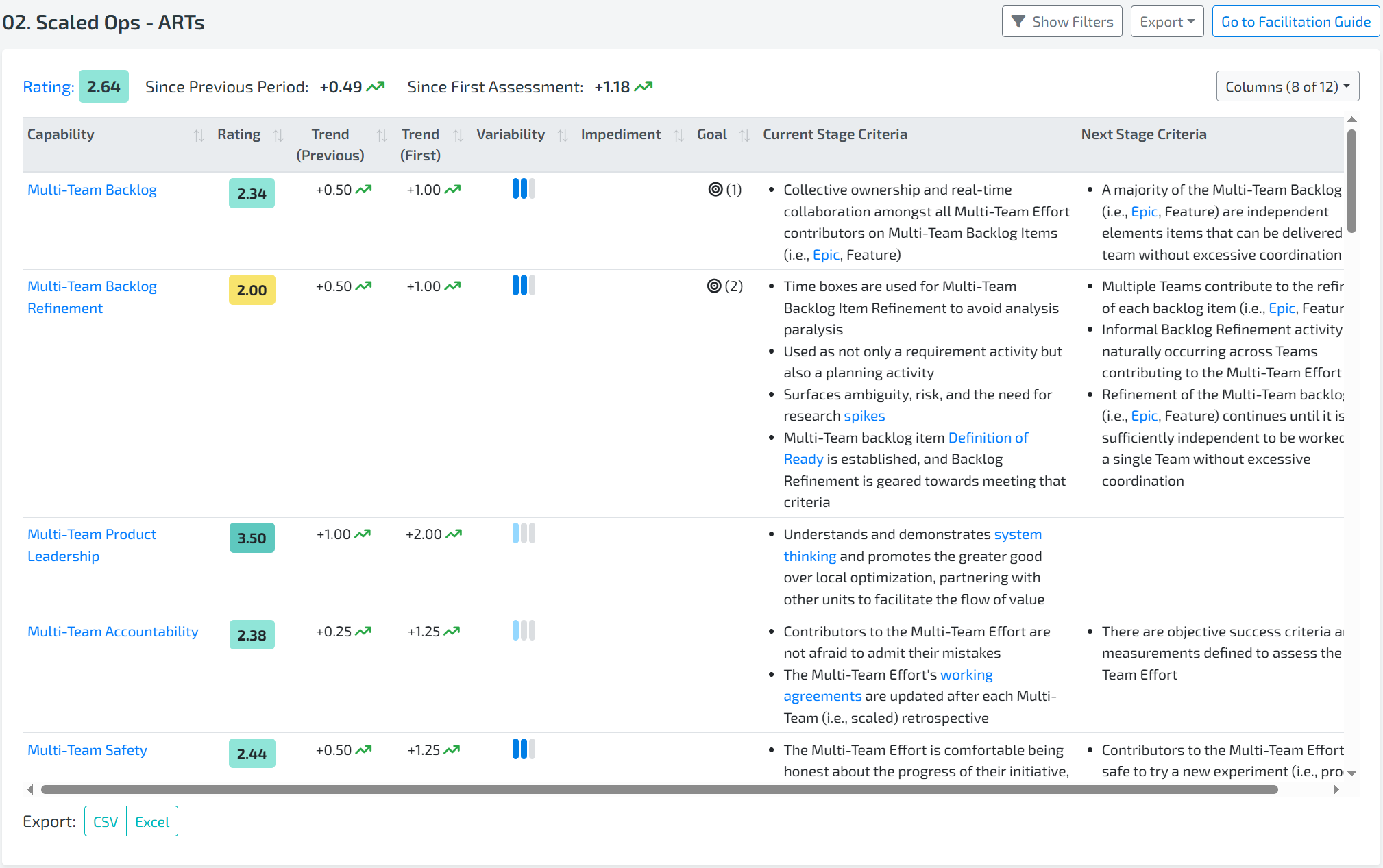
We’ve made a series of visual cleanups to improve readability and reduce cognitive load across the platform, including updates to:
-
Results tables
-
Member screen
-
Results page
-
Assessment
-
Template Builder
-
Capability drilldowns
-
Comments
-
Criteria to Discuss
-
The goal is clearer signals and a smoother experience everywhere you work with results.
2. Clearer Voting & Comment Signals
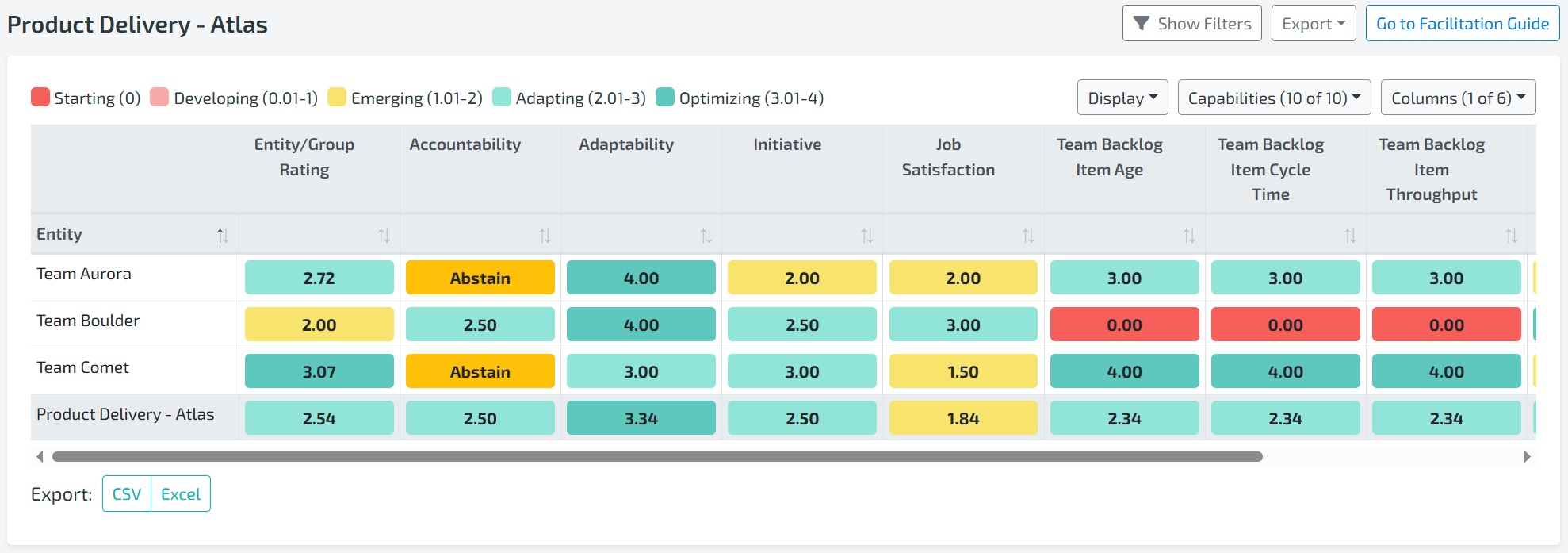
We’ve improved how abstentions and missing votes are displayed to increase transparency.
What’s new:
-
Abstain now displays explicitly instead of 0.00
-
When there are no votes, you’ll see No Votes instead of a blank state
- When Starting is selected, you will see 0.00
This removes ambiguity and makes participation clearer for everyone.
3. Assessment Voting Improvements
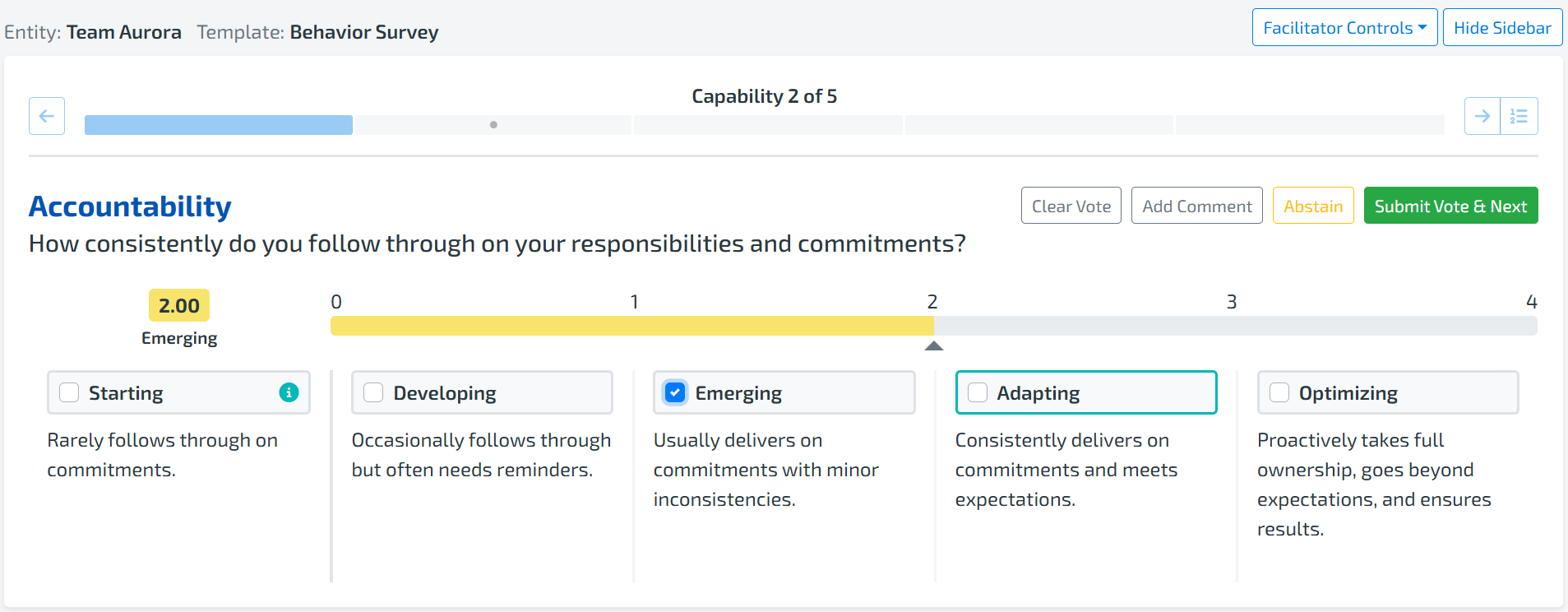
We’ve refined our Assessment voting to better reflect how progressive models actually work.
Key improvements:
-
Starting is now clearly marked as an anti-pattern
-
You can select Starting if the team is not yet operating at the Developing stage
-
Once Developing is selected, Starting is automatically deselected
-
Clearer guidance makes voting more explicit and easier to understand
These changes help participants make more accurate selections and reduce confusion during voting.
🚀 Try It Today
The Product Team Essentials & Flow template is available now as part of our Premium offering.
If you’re questioning how well product teams are truly operating — and want evidence instead of guesswork — this release is designed to help.
As always, every enhancement we release supports one goal: helping you gain clarity, focus improvement efforts, and turn insight into meaningful action.
More updates are already on the way.
Thank you for being part of the Lean Agile Intelligence community.