AI-Assisted Task Automation: Turning Routine Work Into Intelligent Workflows
By Lean Agile Intelligence Product & Research Team
AI task automation allows organizations to move beyond helping employees complete routine work faster and begin removing unnecessary manual steps from the workflow altogether.
Consider how much routine work still happens every day. An employee receives information in an email and manually enters it into another system. A project manager gathers updates from several places and creates the same report every Friday.
Someone reads an incoming request, categorizes it, creates a work item, assigns an owner, and sends a confirmation. Meeting actions are manually copied into task-management tools. Employees move information between applications because the systems themselves do not.
None of these tasks is especially difficult. But repeated across teams and workflows, they consume meaningful time and create avoidable handoffs. This is where AI initiatives often encounter an important ceiling.
Employees become faster at performing individual steps while the underlying workflow remains largely unchanged.
Deloitte's 2026 AI research highlighted this distinction between deploying AI and redesigning the work around it, reporting that many organizations had introduced AI without redesigning workflows or roles at scale.
AI task automation creates an opportunity to move beyond that model.
Instead of asking: How can AI help someone complete this task faster?
organizations can ask: Why does a person need to perform this task manually at all?
Organizations don't simply need AI helping people complete routine tasks.
They need an organizational capability for AI-Assisted Task Automation.
What Is AI-Assisted Task Automation?
AI-Assisted Task Automation is the organizational capability to use AI and traditional automation together to remove routine manual work from operational workflows while preserving human judgment where it matters.
AI-Assisted Task Automation is one capability within LAI's broader AI Maturity Model, which evaluates the capabilities organizations need to move from AI adoption toward operationalization and measurable business outcomes. It sits within the AI-Assisted Routine Task Enablement dimension alongside AI-Assisted Communication and AI-Assisted Content Generation.
AI task automation includes using AI to:
- Interpret incoming information
- Extract relevant data
- Classify requests
- Create or update records
- Route work
- Generate routine follow-ups
- Transfer information between systems
- Trigger downstream activities
- Monitor conditions
- Execute repeatable workflow steps
- Escalate exceptions requiring human judgment
Traditional automation has handled many predictable tasks for years.
AI expands what can participate in an automated workflow when the work involves:
- Unstructured information
- Interpretation
- Variation
- Classification
- Synthesis
- Context-dependent decisions
For example, a deterministic workflow easily handles:
When status = Approved → Send notification
AI becomes relevant when the workflow requires:
Read request → Understand intent → Extract information → Select workflow → Create work item → Route to appropriate team
Microsoft describes agent flows and autonomous agents as mechanisms for connecting deterministic workflow steps with AI-driven reasoning and action. Google Workspace Studio similarly supports AI-powered workflows spanning everyday business applications.
The organizational opportunity is therefore broader than creating isolated automations.
A stronger AI task automation capability helps leaders answer:
- Which repetitive tasks should disappear from human workflows?
- Which steps are deterministic and should use traditional automation?
- Which steps require AI interpretation?
- Which decisions still require human judgment?
- Where are employees repeatedly transferring information between systems?
- Which handoffs add little value?
- What should happen automatically when a business event occurs?
- How should exceptions be handled?
- Are automated tasks reducing manual work or cycle time?
- Which AI workflows should be redesigned next?
One principle is especially important: Do not use AI merely because AI is available.
If a reliable deterministic rule solves the problem, use the rule.
AI is most relevant where it enables automation of work that previously required some level of human interpretation.
The goal is not maximum automation.
It is purposeful automation that removes unnecessary work while preserving human judgment, accountability, and exception handling where they matter.
What Level of AI-Assisted Task Automation Maturity Are You?
Before strengthening AI task automation, identify whether your organization is still automating isolated employee tasks or has begun redesigning complete AI workflows around automation, AI interpretation, and human judgment.
LAI's AI-Assisted Task Automation Maturity Model uses five levels to describe that progression.
| Level | Where You Are | Primary Focus |
|---|---|---|
| Level 1: Starting | Routine workflow steps still depend heavily on manual entry, copying, routing, notifications, and other repetitive work. | Identify where people repeatedly perform predictable, low-value tasks. |
| Level 2: Emerging | Employees independently create task automations, but solutions remain personal, fragmented, and dependent on individual knowledge. | Harvest successful experiments and identify reusable automation patterns. |
| Level 3: Enabling | Shared tools, patterns, prompts, controls, and guidance make AI task automation repeatable across teams. | Define reliable patterns for triggers, AI interpretation, deterministic actions, exceptions, and human review. |
| Level 4: Operationalizing | AI task automation is embedded directly into operational processes and platforms, and routine work increasingly happens automatically. | Redesign complete AI workflows rather than automating isolated tasks. |
| Level 5: Optimizing | Workflow performance, exceptions, human intervention, and business learning continuously change what is automated, redesigned, expanded, or removed. | Improve the entire workflow rather than maximizing automation volume. |
The objective is not to count automations.
It is to understand how much unnecessary manual work remains, where automation depends on individuals, and how effectively AI workflows are designed around the right mix of rules, AI, and people.
Teams looking for a broader baseline can use LAI’s AI Enablement & Productivity Assessment to evaluate AI-Assisted Task Automation alongside the other capabilities required to make AI a repeatable part of day-to-day work.
The Five Levels of AI-Assisted Task Automation Maturity
LAI's AI-Assisted Task Automation Maturity Model describes how organizations progress from manually executed routine work toward AI workflows where automation becomes part of normal operations and continuously improves how work gets done.
The five levels are:
Starting → Emerging → Enabling → Operationalizing → Optimizing
The progression moves from:
Manual Task Execution → Individual Automation → Shared Automation Patterns → Workflow-Embedded Automation → Continuous Work Redesign
At first, employees perform repetitive workflow activities manually. Individual experimentation reveals automation opportunities. Shared practices make successful automation patterns reusable. Workflow integration makes automation a normal part of operations.
Measurement and learning then show which tasks should be:
Improved → Expanded → Simplified → Replaced → Removed
The objective is not simply to automate more tasks.
It is to create AI workflows that require less unnecessary manual effort while keeping people focused on judgment, exceptions, accountability, and higher-value work.

Level 1: Starting — Routine Work Is Still Performed Manually
At the Starting level, routine workflow activities are still performed largely through human effort.
Employees:
- Enter information into systems
- Copy information between applications
- Send recurring notifications
- Create tasks
- Route requests
- Update statuses
- Transfer information between teams
Work often passes from person to person because one employee must complete a small administrative step before another can continue.
Individually, these activities require little time. Repeated across high-volume workflows, they create cumulative friction.
This is also why the team and its workflow are more useful units of AI enablement than the individual task. Work moves through shared handoffs, dependencies, systems, and decisions, so removing one person’s manual step only matters if the surrounding workflow improves.
Observable Evidence
Common signals include:
- Routine tasks executed manually
- Repetitive workflow steps
- Frequent human handoffs
- Manual data entry across systems
- Repeated copying and pasting
- Recurring reports assembled manually
- Employees acting as the connection between disconnected systems
The first opportunity is not to automate an entire business process.
It is to identify:
Where employees repeatedly perform predictable work that adds little value by remaining manual.
How to Progress to Emerging
Begin by observing the work rather than selecting an AI tool. That same principle applies at the broader adoption level: effective AI adoption should begin with the work and outcomes that need to improve, then determine which capabilities, workflows, and technologies are required.
Ask employees:
- What do you repeat every day or week?
- What information do you copy between systems?
- What tasks exist because applications are not connected?
- What recurring notifications do you send?
- What requests do you repeatedly classify or route?
- What information do you repeatedly extract from emails or documents?
- Which activities require little judgment?
- Which steps create avoidable waiting or handoffs?
Then distinguish between: Work that should remain human
and: Work that exists primarily because the current workflow requires manual effort
Focus automation discovery on the second category.
Practical Example: Create a Routine Task Friction Map
Choose one team and map a recurring workflow.
For example:
Customer Request Received
→ Employee reads email
→ Determines request type
→ Copies customer details
→ Opens service platform
→ Creates ticket
→ Selects category
→ Assigns team
→ Sends confirmation
Then evaluate each step.
| Workflow Step | Time | Human Judgment? | Repetitive? | Automation Candidate? |
|---|---|---|---|---|
| Read request | 2 min | Some | Yes | AI candidate |
| Copy customer information | 1 min | No | Yes | Automate |
| Create ticket | 1 min | No | Yes | Automate |
| Categorize request | 1 min | Some | Yes | AI candidate |
| Assign team | 30 sec | Rule-based | Yes | Automate |
| Send confirmation | 1 min | No | Yes | Automate |
Then calculate: Frequency × Manual Time = Automation Opportunity
If a workflow occurs 500 times each month and contains five minutes of repetitive manual work:
500 × 5 minutes = 2,500 minutes
or roughly:
42 hours of recurring manual effort per month
That does not automatically mean the workflow should be automated. It gives the organization evidence about where automation deserves investigation.
Turn those opportunities into an Automation Opportunity Backlog grounded in actual work.
The objective at Starting is to move from:
"Where could we use AI?"
to:
"Which routine work should people no longer need to perform manually?"

Level 2: Emerging — Individuals Begin Automating Their Own Tasks
At the Emerging level, employees independently experiment with AI task automation to remove repetitive steps from their own work.
Someone creates an automation that summarizes incoming requests. Another employee builds a workflow for meeting follow-ups. A team member connects AI to a spreadsheet. Someone creates tasks automatically from emails.
Discussions about AI workflows begin appearing across teams. This is useful experimentation. But automations remain largely personal.
They depend on:
- Individual accounts
- Personal prompts
- Individual configurations
- Specific tools
- Undocumented knowledge
The organization has: Automation activity
without yet having: A shared automation capability
Observable Evidence
Observable signals include:
- Ad hoc AI task automation
- Personal AI workflows
- Employee-created automation prompts
- Task automation experiments
- Similar solutions independently created by multiple employees
- Important workflows dependent on one knowledgeable person
The experiments demonstrate that employees are finding real opportunities.
The next challenge is preventing everyone from automating the same work differently.
How to Progress to Enabling
Harvest the automations employees already use or experiment with.
Ask:
- Which tasks are being automated?
- How frequently do those tasks occur?
- Which automations reduce meaningful effort?
- Which fail frequently?
- Which depend on personal accounts or configurations?
- Which use organizational data?
- Which patterns appear across multiple employees?
- Which should become shared capabilities?
- Which should remain individual?
- Which activities should not be automated?
Look for repeatable workflow patterns.
For example: Email → Extract Information → Create Task
or: Meeting → Summarize → Identify Actions → Create Follow-Up
or: Document → Extract Fields → Update System
These represent organizational automation patterns hidden inside individual experiments.
Practical Example: Run an AI Automation Harvest
For one month, ask employees to submit AI-assisted automations they already use or are testing.
Capture:
- Task: What is being automated?
- Trigger: What starts the AI workflow?
- AI Role: What requires interpretation, classification, generation, or synthesis?
- Deterministic Automation: What actions execute through predictable rules?
- Human Role: Where does judgment remain necessary?
- Frequency: How often does the task occur?
- Benefit: What effort, delay, or handoff does it reduce?
- Risk / Failure: What happens when the automation is wrong?
For example:
| Automation | Frequency | AI Role | Potential |
|---|---|---|---|
| Meeting actions → tasks | Daily | Extract actions | High |
| Email → CRM update | Daily | Extract information | High |
| Weekly status summary | Weekly | Synthesize work | Medium |
| Expense classification | Daily | Categorize | High |
Select a few repeatable patterns and turn them into shared experiments.
The progression is from: "I automated this task."
to: "We identified an automation pattern that applies to recurring work."

Level 3: Enabling — Shared AI Automation Practices Become Repeatable
At the Enabling level, AI task automation becomes a shared organizational capability supported by common patterns, tools, controls, and guidance.
Guidelines explain which tasks are appropriate for automation. Shared prompt or instruction templates exist. Approved automation tools are available. Logging makes workflow activity visible.
Teams understand where:
- AI interprets
- Rules execute
- Humans review
- Exceptions escalate
The organization no longer depends entirely on individuals discovering and implementing automation independently.
Observable Evidence
Observable evidence includes:
- AI task automation guidelines
- Shared automation templates
- Approved automation tools
- AI workflow logging
- Reusable automation patterns
- Defined exception handling
- Shared human-review practices
The progression is from: Personal automation
to: Organizational enablement
Employees increasingly have a shared answer to: "If I identify a repetitive task, how should we automate it?"
How to Progress to Operationalizing
Create a lightweight AI workflow framework.
For every automation, define:
- Trigger: What starts the workflow?
- Input: What information enters it?
- AI Responsibility
- What requires:
- Interpretation
- Classification
- Generation
- Synthesis
- What requires:
- Deterministic Actions: What should execute through predictable rules?
- Human Checkpoint: Where does judgment or approval remain necessary?
- Output: What should the workflow produce?
- Exceptions: What happens when AI cannot confidently complete the task?
- Logging: What activity, decisions, and errors need to be recorded?
This distinction between AI interpretation and deterministic automation matters.
A strong AI workflow uses: The simplest reliable mechanism for each step.
- Do not use AI for work that a deterministic rule handles more reliably.
- Do not keep a manual interpretation step when AI appropriately handles that interpretation within defined controls.
Practical Example: Create an AI Task Automation Catalog
Publish reusable automation patterns.
Pattern 1: Information Extraction
- Use when: Unstructured information needs to become structured data.
- Example: Email → Extract customer, request, urgency → CRM
- AI does: Interpret and extract.
- Workflow does: Validate required fields and update the system.
- Human does: Review exceptions or low-confidence cases.
Pattern 2: Classification and Routing
- Use when: Requests require categorization and assignment.
- Example: Support request → Classify issue → Route to team
- AI does: Interpret the request.
- Workflow does: Create the ticket and assign the appropriate queue.
- Human does: Handle ambiguous classifications.
Pattern 3: Work Generation
- Use when: Existing information should automatically create follow-up work.
- Example: Meeting transcript → Identify commitments → Create tasks
- AI does: Identify actions, owners, and dates.
- Workflow does: Create tasks and notify owners.
- Human does: Confirm consequential commitments.
Pattern 4: Recurring Synthesis
- Use when: Multiple information sources repeatedly become the same report.
- Example: Work items → Weekly project update
- AI does: Synthesize status and themes.
- Workflow does: Collect inputs and distribute the update.
- Human does: Validate major risks, decisions, and implications.
The objective at Enabling is to create: Repeatable AI workflow patterns people can understand, trust, and reuse.
Level 4: Operationalizing — AI Automation Becomes Part of Standard Workflows
At the Operationalizing level, AI task automation becomes embedded directly into the operational workflows and platforms through which work gets done.
Automation is no longer an optional personal enhancement. Routine tasks are triggered automatically inside the workflow. AI handles appropriate interpretation. Traditional automation executes predictable actions.
Humans receive work when judgment, accountability, or exception handling is required.
The operating workflow itself increasingly expects routine tasks to happen automatically.
Observable Evidence
Observable evidence includes:
- AI tasks triggered directly within workflows
- Automation embedded into work platforms
- Shared AI workflows used for routine operations
- Reduced manual touches
- Defined exception paths
- Workflow performance measured
- Human intervention rates tracked
At Enabling: Employees have shared ways to automate tasks.
At Operationalizing: The workflow itself expects those tasks to be automated.
This is the important maturity shift.
AI moves from: Individual productivity aid
toward: Operating workflow capability
How to Progress to Optimizing
Stop thinking primarily about isolated automated tasks. Redesign the full workflow.
Ask: If AI and automation were part of this workflow from the beginning, which steps would still require a person?
Then classify the work into three categories.
- Automated Rule-Based Work
- Predictable and deterministic.
- AI-Assisted Work
- Requires interpretation, synthesis, classification, or generation.
- Human Work
- Requires:
- Judgment
- Accountability
- Relationship management
- Exception handling
- Consequential decisions
- Requires:
This produces a stronger AI workflow than inserting AI into every existing step.
Practical Example: Redesign a Request Intake Workflow
Consider an internal service request.
Traditional Workflow
- Request arrives by email
- Coordinator reads request
- Coordinator determines request type
- Information is copied into ticketing system
- Category selected
- Priority assigned
- Team assigned
- Confirmation sent
- Missing information requested manually
Much of the workflow exists simply to interpret and move information. Now redesign it.
AI Workflow
- Step 1: Request Arrives
- A business event triggers the workflow.
- Step 2: AI Interprets the Request
- Extract:
- Requester
- Request type
- Required information
- Urgency
- Relevant context
- Extract:
- Step 3: Deterministic Validation
- Workflow checks:
- Required fields present?
- Requester authorized?
- Known request category?
- Required attachment available?
- Workflow checks:
- Step 4: AI Handles Missing Context
- If information is incomplete, generate an appropriate clarification request.
- Step 5: Work Item Created
- The workflow creates the ticket.
- Step 6: Routing
- Rules or AI determine the appropriate queue based on the nature of the request.
- Step 7: Confirmation
- The requester automatically receives:
- Ticket
- Status
- Expected next step
- The requester automatically receives:
- Step 8: Human Handles Exceptions
- People receive:
- Low-confidence classifications
- High-risk requests
- Unsupported cases
- Escalations
- Consequential decisions
- People receive:
The role of the employee changes. Instead of acting as the integration layer between systems, people focus on:
Exceptions + Judgment + Accountability
Measure the AI Workflow
At Operationalizing, measure whether routine work actually changes.
Track:
- Routine Task Cycle Time
- How long does the workflow take from trigger to completion?
- Manual Touches
- How many human actions remain?
- Human Intervention Rate
- What percentage of workflow executions require manual intervention?
- Automation Success Rate
- How frequently does the workflow complete as intended?
- Exception Rate
- How frequently does the automation encounter an unsupported situation?
- Handoff Reduction
- How many manual person-to-person or system-to-system transfers remain?
For example:
- Before: Average request processing of 14 minutes, with 7 manual touches
- After: Average request processing of 3 minutes, with 1.4 manual touches
Those measures provide evidence that the workflow changed. They do not, by themselves, prove that AI alone caused all downstream business outcomes.
The meaningful question is not:
We built an AI agent.
It is:
Does the AI workflow now require less routine manual effort while maintaining the level of reliability the work requires?
Build Appropriate Controls
As automation gains autonomy, oversight becomes more important.
For operational AI workflows, define:
- What AI executes automatically
- What requires approval
- What is logged
- What confidence threshold triggers escalation
- How errors are detected
- Who owns the workflow
- How the workflow is stopped
- How exceptions are reviewed
Automation should reduce operational friction without removing organizational accountability.

Level 5: Optimizing — Automation Continuously Improves How Work Gets Done
At the Optimizing level, AI task automation becomes a continuously improving capability focused on redesigning the overall workflow rather than simply expanding the number of automations.
Automations are not implemented and forgotten. Teams review workflow performance. Existing automations are refined. Recurring exceptions become improvement opportunities. New automation is introduced intentionally. Unnecessary workflow steps are removed.
The organization becomes increasingly deliberate about:
Which work should be automated → Which should remain human → Which should disappear entirely
Observable Evidence
Observable evidence includes:
- Regular reviews of AI workflow performance
- Continuous refinement of task automation
- Reduced human intervention
- Exceptions driving workflow improvements
- Expansion into additional appropriate tasks
- Removal of obsolete automations
- Improving routine-task cycle-time trends
The question changes from: "What else can we automate?"
to: "Where does additional automation measurably improve the workflow?"
That distinction prevents automation volume from becoming the goal.
How to Sustain and Continuously Improve
Create a continuous improvement loop:
Automate → Measure → Observe Exceptions → Learn → Redesign → Expand
Review each automation in the context of the AI workflow it supports.
Ask:
- Is this automation still necessary?
- Is the underlying task still necessary?
- Which manual steps remain?
- Why do humans intervene?
- Which exceptions recur?
- Should recurring exceptions become supported cases?
- Is AI being used where deterministic logic is more reliable?
- Is deterministic logic being used where AI interpretation appropriately removes manual work?
- Are employees actually relying on the automation?
- Is the overall workflow improving?
- What happened to the human capacity released?
Optimization sometimes means improving the automation.
Sometimes it means: Removing the automation because the task itself should disappear.
Practical Example: Run a Quarterly AI Task Automation Portfolio Review
Review significant AI workflows every quarter across five areas.
1. Performance
Track:
- Cycle time
- Automation completion rate
- Human intervention rate
- Exception rate
- Manual touches
- Error rate
2. Value
Ask:
- How much routine human work was removed?
- What happened to the released capacity?
- Did service speed change?
- Did quality change?
- Did cost change?
- Did the end-to-end workflow improve?
Do not assume: Time saved = business value
Time removed from one task only creates value if the organization understands what happens elsewhere in the system.
3. Exceptions
Analyze recurring reasons for human intervention.
For example:
| Exception | Frequency | Response |
|---|---|---|
| Missing customer ID | High | Improve extraction |
| Unsupported request type | Medium | Extend workflow |
| Low classification confidence | Medium | Enrich context |
| Policy exception | Low | Keep human review |
Exceptions create an automation improvement backlog.
4. Workflow Design
Ask whether the underlying process still makes sense.
For example, a workflow might:
Create spreadsheet → Send for approval → Upload to system → Send notification
The organization could automate all four steps. Or analysis might show that the spreadsheet itself serves no useful purpose.
That represents the larger maturity shift: Automating tasks
to: Redesigning work
5. Expansion
Identify the next automation opportunity using evidence.
Prioritize tasks that are:
- Frequent
- Repetitive
- Time-consuming at scale
- Predictable
- Low value for people
- Suitable for clear exception handling
Avoid automating work simply because a tool makes it possible.
Create an AI Automation Improvement Backlog
For example:
| Improvement | Reason | Measure |
|---|---|---|
| Automate missing-data follow-up | Frequent manual intervention | Human intervention rate |
| Replace AI classification with rule | Category is now deterministic | Error rate |
| Add policy context | AI escalates valid cases | Exception rate |
| Connect another work platform | Manual transfer remains | Manual touches |
| Eliminate duplicate approval | Workflow analysis shows little value | Cycle time |
| Expand to next request type | Existing workflow is performing consistently | Automation coverage |
Then choose: Keep → Improve → Expand → Simplify → Replace → Remove
This prevents automation portfolios from becoming permanent collections of workflow complexity.
Measure the Outcome That Matters
At Optimizing, do not focus only on:
- Number of automations
- Number of agents
- Number of prompts
- Number of automated actions
Those are activity measures. Focus on what the automation was intended to change.
- Routine Task Cycle Time
- Is routine work completing faster?
- Manual Work Removed
- Are unnecessary human touches decreasing?
- Exception Rate
- Is the workflow reliably handling more routine situations?
- Quality
- Are error and rework trends stable or improving?
- Capacity
- Has the mix of work performed by employees changed?
- Workflow Performance
- Is the end-to-end process improving?
As AI task automation becomes easier to deploy, the organization's ability to identify, redesign, measure, and continuously improve the right AI workflows becomes more important than simply creating another automation.
Related capabilities: AI Content Generation, AI Use Case Discovery
Key Takeaway
AI task automation maturity isn't achieved when an organization deploys agents or automates hundreds of tasks. It is demonstrated when routine manual work is intentionally removed from AI workflows, the right balance of automation and human judgment becomes part of normal operations, and workflow design continuously improves based on performance, exceptions, and learning.
From AI Task Automation to AI Workflow Operationalization
AI task automation becomes operationalized when automation moves from isolated employee tasks into the normal design and execution of end-to-end AI workflows.
AI-Assisted Task Automation often begins with: "Can AI do this task for me?"
That creates useful experiments. Operationalization requires a different question:
"Should a person need to do this task at all?"
The maturity model progresses from:
Manual Task Execution → Individual Automation → Shared Automation Patterns → Workflow-Embedded Automation → Continuous Work Redesign
Initially, employees automate isolated activities. Individual experimentation reveals repeatable patterns. Shared practices make those patterns reusable. Workflow integration allows AI and deterministic automation to execute routine work as part of normal operations.
Measurement and learning reveal which steps should be: Improved → Expanded → Redesigned → Eliminated
That is the difference between: Using AI to automate a task
and: Designing an AI workflow in which routine work happens automatically
The stronger operating model combines:
Human Work + Automated Rules + AI Interpretation + Human Judgment
with each performing the work it is best suited to handle. AI does not need to perform every task. People do not need to remain in every step. And some tasks should not exist at all.
The goal is to create AI workflows in which routine work happens automatically, exceptions reach the appropriate people, accountability remains clear, and the workflow continuously improves based on evidence.
Evaluate Whether AI Task Automation Is Actually Changing the Workflow
Creating individual AI automations is a useful starting point.
The more important question is whether automation has become a repeatable organizational capability that changes how operational work is performed.
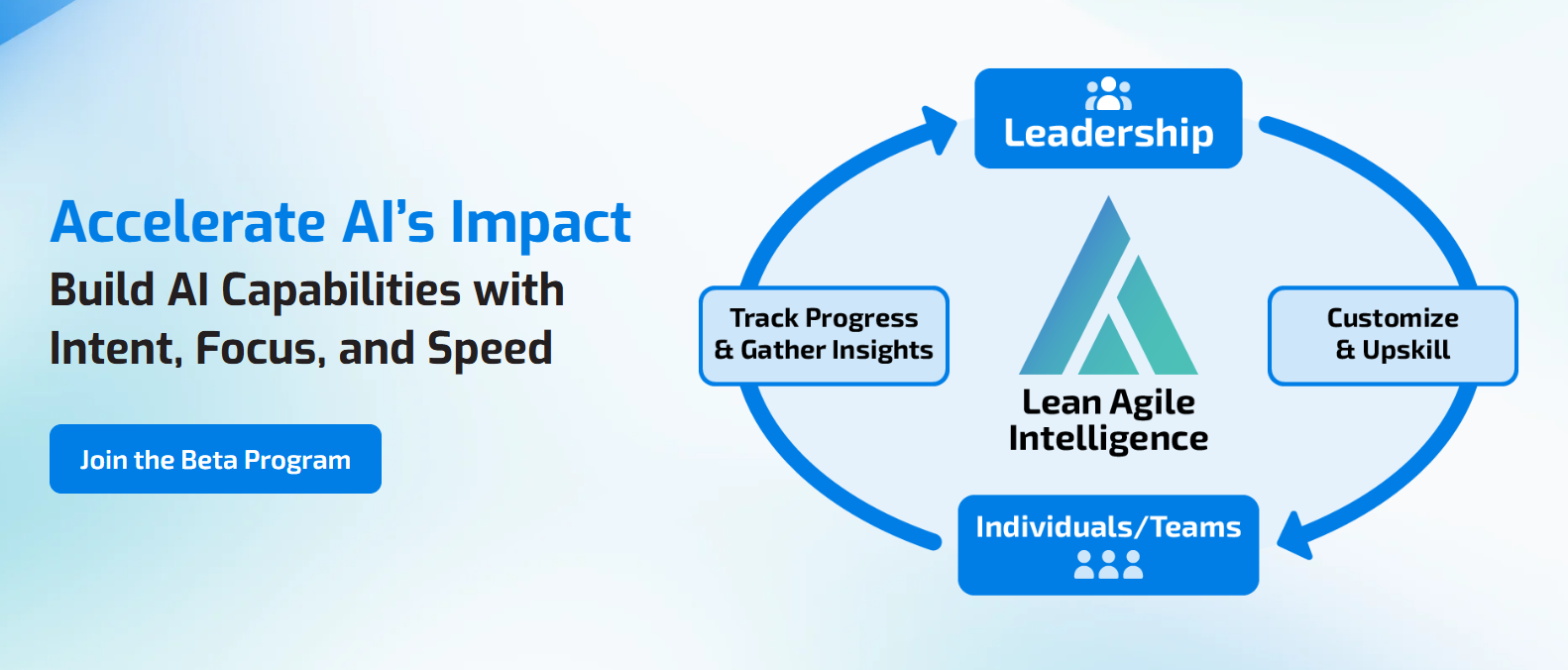
LAI's AI Enablement & Productivity Assessment establishes a baseline across AI-Assisted Task Automation and the related capabilities teams need to operationalize AI, identifies gaps, and measures progress over time.
For AI-Assisted Task Automation, that means evaluating whether the organization:
- Identifies repetitive manual work systematically
- Distinguishes deterministic automation from AI interpretation
- Captures successful automation patterns
- Defines human judgment and exception points
- Embeds automation into operational workflows
- Measures cycle time and manual touches
- Tracks human intervention and exceptions
- Maintains appropriate controls
- Redesigns workflows rather than simply automating existing steps
- Removes obsolete tasks and automations
- Continuously improves AI workflows based on real performance
Prefer to start with early access? Join the AI Assessment Beta Program.