AI Tools & Platforms: Turning AI Access Into Embedded, Measurable Work
By Lean Agile Intelligence Product & Research Team
AI tools often become the starting point for enterprise AI adoption, but access to technology alone does not create organizational capability.
Employees discover ChatGPT, Copilot, Gemini, Claude, coding assistants, research tools, meeting assistants, and specialized AI applications.
Some organizations provide enterprise licenses. Others allow individual teams to experiment.
Before long, AI-generated work begins appearing in:
- Presentations
- Emails
- Code
- Analysis
- Research
- Meetings
- Everyday knowledge work
But access to AI tools does not automatically translate into consistent organizational value. One employee uses AI throughout the day while another rarely touches it. Different teams use overlapping tools for the same purpose. Employees spend time deciding which platform to use.
Some AI platforms are purchased without being integrated into the workflows where they are intended to help.
Specialized tools appear alongside enterprise platforms without a clear reason for when each should be used.
The result is significant AI activity without a coherent AI environment.
That creates an important distinction for AI transformation:
Deploying AI tools creates access. Building an AI Tools & Platforms capability makes that access usable, repeatable, governable, and increasingly embedded into the work.
Organizations don't simply need more AI tools.
They need an intentional capability for AI Tools & Platforms.
What Are AI Tools & Platforms?
AI Tools & Platforms is the organizational capability to provide, standardize, integrate, and continuously improve the AI technologies employees and teams use to perform their work.
AI Tools & Platforms is one capability within LAI's broader AI Maturity Model, which evaluates the capabilities organizations need to move from AI adoption toward operationalization and measurable business outcomes.
At an early level, that means giving employees secure access to approved AI tools and creating opportunities to experiment.
As the capability matures, the organization becomes more deliberate about:
- Which AI tools are supported
- Which AI platforms should become enterprise standards
- Which tools are best suited to specific types of work
- How employees receive access
- What training and support are available
- Which AI capabilities should be integrated into existing systems
- When specialized tools are justified
- Which platforms should be configured around particular workflows
- How adoption and usage are measured
- How tool effectiveness is evaluated
- When tools should be consolidated or retired
The goal is not to select one AI platform for every possible need.
It is also not to continually add new AI tools whenever interesting capabilities appear.
The goal is to create a coherent AI technology environment that makes valuable AI use easier, more consistent, and increasingly integrated into real work.
A stronger AI Tools & Platforms capability helps organizations answer:
- Which AI tools should employees use?
- Which AI platforms should become standards?
- What is each tool best suited for?
- Where do employees need specialized capabilities?
- Where are several tools solving the same problem?
- What AI capabilities should be embedded directly into existing applications?
- Which tools are employees actually adopting?
- Which tools are being used but not creating enough value?
- Where is tool friction limiting AI adoption?
- How should the technology portfolio change as AI transformation progresses?
The important question therefore moves from: "What AI tools do we have?"
to: "Are the right AI tools consistently enabling the work we want to improve?"
What Level of AI Tools & Platforms Maturity Are You?
Before strengthening AI Tools & Platforms, identify whether the organization is still focused primarily on providing access or has developed a deliberate AI environment that supports repeatable workflows.
LAI's AI Tools & Platforms Maturity Model uses five levels to describe that progression.
| Level | Where You Are | Primary Focus |
|---|---|---|
| Level 1: Starting | AI tools are unavailable, poorly understood, or rarely used in everyday work. | Create controlled access and useful first experiences. |
| Level 2: Emerging | Employees independently experiment with multiple AI tools, creating useful learning but also fragmentation. | Understand what people are using and what work they are trying to improve. |
| Level 3: Enabling | Approved AI platforms, tool guidance, standard configurations, training, and support are defined. | Establish a coherent default technology environment while preserving justified specialization. |
| Level 4: Operationalizing | AI tools are integrated directly into workflows and existing work platforms, and usage becomes part of normal operations. | Shift from tool-centric AI adoption to workflow-centric adoption. |
| Level 5: Optimizing | The AI tooling portfolio continuously changes based on usage, workflow performance, employee needs, overlap, and evidence of value. | Continuously standardize, customize, specialize, consolidate, or retire tools based on the work. |
The objective is not to determine how many AI tools the organization owns.
It is to understand whether the technology environment makes useful AI capabilities accessible, understandable, integrated, and effective within the work people actually perform.
The Five Levels of AI Tools & Platforms Maturity
LAI's AI Tools & Platforms Maturity Model describes how organizations progress from limited AI technology usage toward an intentional tooling environment integrated into workflows and continuously improved as needs change.
The five levels are: Starting → Emerging → Enabling → Operationalizing → Optimizing
The progression moves from: Limited AI Use → Individual Experimentation → Standard AI Platforms → Workflow-Integrated AI → Continuous Tooling Optimization
Initially, employees need access and opportunities to experiment. Individual experimentation reveals useful applications and capability gaps. Standard AI platforms provide a consistent foundation for broader AI adoption. Workflow integration moves AI closer to the work itself.
Measurement and learning then help the organization determine where to: Standardize → Configure → Specialize → Consolidate → Expand → Retire
The objective is not: More AI technology.
It is: A more effective AI environment.

Level 1: Starting — Work Happens Largely Without AI Support
At the Starting level, AI tools are unavailable, poorly understood, or rarely used in normal work.
Employees know generative AI exists but have limited clarity about:
- Which tools are approved
- What tools are available
- What those tools actually do
- Which activities are appropriate
- How to begin using them
Experimentation is limited.
Most work continues through traditional approaches.
The challenge at this level is not sophisticated AI platform architecture.
It is creating enough access and practical experience for the organization to begin learning where AI fits.
Observable Evidence
Common signals include:
- AI tools rarely used in daily work
- Work completed largely without AI assistance
- Limited awareness of approved AI platforms
- Minimal experimentation
- Employees uncertain where to begin
- Purchased licenses with little meaningful usage
Availability alone does not mean an AI tool is participating in the work.
How to Progress to Emerging
Start with: Controlled Access + Practical Experimentation
Select one approved general-purpose enterprise AI tool.
Identify a small number of common, lower-risk activities employees can use to learn.
Examples include:
- Summarizing information
- Drafting communications
- Preparing meeting materials
- Researching a topic
- Brainstorming ideas
- Reformatting information
- Reviewing documents
- Creating initial outlines
Do not optimize for maximum tool usage.
The objective is to create: Useful first experiences that reveal where AI belongs in the work.
Practical Example: Run a 30-Day AI Tool Exploration Sprint
Select 20–50 employees across several functions.
Give them access to one approved AI platform.
Ask each participant to identify three recurring tasks to intentionally test with AI.
Capture: Task → Current Approach → AI Use → Result → Would You Use It Again?
For example:
| Task | AI Experiment |
|---|---|
| Meeting preparation | Summarize background documents |
| Email drafting | Generate first draft |
| Research | Identify initial themes and questions |
| Presentation creation | Create initial outline |
| Document review | Summarize key points |
At the end of the sprint, ask:
- Which use cases were most useful?
- Where did AI reduce meaningful effort?
- Where did AI add little value?
- Which questions appeared repeatedly?
- Which employees discovered useful applications?
- What training or guidance was missing?
- Which capability gaps appeared?
Share the strongest examples with the next group of users.
The progression at Starting is: Awareness → Access → Purposeful Experimentation

Level 2: Emerging — Employees Use AI Tools Independently
At the Emerging level, employees independently experiment with AI tools throughout the organization.
AI outputs begin appearing in work artifacts. Teams discuss which tools they are using. Employees informally share prompts and applications. Individuals test specialized products. This creates valuable bottom-up learning. It also creates fragmentation.
One team uses the enterprise platform. Another prefers a specialized tool. Several applications solve similar problems. Employees independently develop their own approaches. The organization has moved beyond limited AI usage.
But AI tools remain primarily: Individual choices
rather than: A managed organizational capability
Observable Evidence
Observable signals include:
- AI tool references appearing in discussions
- AI-generated output appearing in work artifacts
- Multiple AI tool experiments
- Informal sharing of tools and techniques
- Different teams using overlapping tools
- Employees adopting tools outside the standard environment
- Limited visibility into why different tools are being selected
This experimentation is valuable.
The next step is turning individual discovery into organizational learning.
How to Progress to Enabling
Understand what employees are using and what they are trying to accomplish.
Do not immediately respond to fragmentation by forcing everything onto one platform.
First learn:
- Which AI tools are employees using?
- Which work activities do they support?
- Which capabilities are people seeking?
- Where do several tools solve the same problem?
- Which tools consistently produce useful results?
- Where do standard AI platforms fall short?
- Why are employees choosing external tools?
- Which individual practices deserve broader adoption?
The important question is not: "How do we stop people from using so many AI tools?"
It is: "What are people trying to accomplish that the current AI environment does not make easy?"
Practical Example: Conduct an AI Tool Usage Harvest
For two weeks, ask employees to submit examples of the AI tools they actively use.
Capture:
- Tool
- Which AI application is being used?
- Task
- What work does it support?
- Frequency
- How often is it used?
- Value
- What does it help improve?
- Limitation
- Where does the tool struggle?
- Recommendation
- Would the employee recommend it?
Yes / Maybe / No
Then group the use cases.
Examples include:
- General productivity
- Research
- Content generation
- Software development
- Data analysis
- Customer support
- Meetings
- Workflow automation
Look for patterns.
For example:
Employees repeatedly use external tools for document research because the standard enterprise AI platform does not provide the required functionality.
That is more useful than simply identifying unauthorized usage. It reveals a capability gap.
Turn the findings into an AI Tool Discovery Backlog.
Examples:
- Better enterprise research
- Stronger coding support
- Meeting integration
- Workflow automation
- Specialized analytics
- Better enterprise knowledge access
The progression becomes: "People are experimenting with tools."
to: "We understand which capabilities our AI environment needs to provide."

Level 3: Enabling — Standard AI Tools and Platforms Are Defined
At the Enabling level, the organization intentionally establishes a standard AI tooling environment.
Approved AI tools are documented. Employees receive training. Standard configurations exist.
Guidance explains which platforms should be used for which purposes.
Support becomes more consistent.
The organization shifts from: "Use whatever AI works for you."
to: "These are the supported AI capabilities available for this type of work."
Observable Evidence
Observable evidence includes:
- Approved AI tool catalog
- AI tool training
- Standard platform configurations
- Documented tool-usage guidance
- Defined access processes
- Clear support channels
- Visibility into which tools address which needs
Standardization creates useful conditions. Employees know where to start. Security and governance become more consistent. Training becomes more focused. Support becomes easier.
The organization gains greater visibility into AI adoption and investment.
But standardization should not eliminate experimentation.
The objective is: A clear default path + A deliberate exception path
How to Progress to Operationalizing
Build an AI Tools & Platforms strategy around organizational capability rather than vendor names alone.
For example:
Enterprise Productivity
Standard AI platform for:
- Writing
- Summarization
- Research
- Meetings
- Document creation
Software Development
Standard AI platform for:
- Coding
- Testing
- Code explanation
- Development support
AI Application Development
Standard AI platform for:
- Model access
- Agents
- Retrieval
- AI workflow development
Specialized AI Tools
Supported when:
- A meaningful capability gap exists
- The business need justifies another tool
- Security and governance requirements are met
- Integration or workflow benefits justify the added complexity
This prevents the technology portfolio from being driven primarily by: Vendor availability
instead of: Work requirements
Practical Example: Create an AI Tool Catalog
Build a simple internal catalog.
For each approved AI tool, document:
- Tool
- What is it?
- Best For
- What work should employees use it for?
- Who Has Access
- Which roles or groups?
- How to Access
- What is the provisioning process?
- What Data Can Be Used
- What organizational guidance applies?
- Training
- What learning resources are available?
- Example Workflows
- How should it be applied in real work?
- Support
- Who should employees contact?
For example:
| AI Need | Standard Capability |
|---|---|
| General knowledge work | Enterprise AI assistant |
| Coding | Approved coding assistant |
| Enterprise research | Approved research platform |
| Meeting assistance | Integrated meeting AI |
| AI application development | Enterprise AI platform |
Then establish a simple process for:
- Requesting exceptions
- Evaluating new tools
- Testing specialized platforms
- Retiring redundant capabilities
The technology environment should be: Discoverable + Understandable + Supported
not merely: Approved

Level 4: Operationalizing — AI Tools Become Part of Everyday Workflows
At the Operationalizing level, AI tools become embedded directly into the systems and workflows where people already perform their work.
Employees no longer need to repeatedly:
- Open a separate AI tool
- Reconstruct the context
- Decide which platform to use
- Copy information between systems
- Invent an AI workflow from scratch
Instead, AI capabilities increasingly appear: Inside the work itself.
AI access is incorporated into onboarding. Teams rely on standard AI capabilities for recurring activities. Enterprise AI platforms connect directly to important workflows.
Usage becomes consistent enough to measure whether AI is actually influencing the intended work.
Observable Evidence
Observable evidence includes:
- AI integrated into existing work platforms
- Standard AI tools relied on for common tasks
- AI access included in employee onboarding
- Workflow-specific configurations
- Increasing appropriate tool utilization
- Common AI-supported workflows
- AI usage linked to workflow performance
This is where AI Tools & Platforms starts moving from: Technology deployment
to: Operating capability
At Enabling: Employees know which AI tools to use.
At Operationalizing: The workflow increasingly delivers the right AI capability where the employee needs it.
How to Progress to Optimizing
Shift from: Tool-centric AI adoption
to: Workflow-centric AI adoption
Instead of telling employees: Here is our AI platform. Find ways to use it.
start with the workflow.
For example:
Customer Research
Ask:
Where should AI participate in this work?
The resulting workflow becomes:
- Collect Feedback
→ AI summarizes responses - Analyze Themes
→ AI identifies patterns - Validate Findings
→ Human judgment - Prepare Recommendation
→ AI creates initial draft - Make Decision
→ Product team retains responsibility
This changes the unit of design.
The organization stops asking: "How do we increase usage of this AI tool?"
and starts asking: "How should AI support this workflow?"
Practical Example: Operationalize One AI-Enabled Workflow
Choose a common and measurable workflow.
For example:
Sales Meeting Preparation
Before AI
Salesperson:
- Searches CRM
- Reviews email
- Finds account information
- Researches customer
- Creates meeting brief
AI-Enabled Workflow
Step 1: Opportunity Opens
The salesperson begins meeting preparation.
Step 2: AI Retrieves Relevant Context
The standard platform retrieves:
- Account information
- Recent interactions
- Prior commitments
- Opportunity data
- Relevant research
Step 3: AI Generates Initial Brief
Produce:
- Account overview
- Recent activity
- Open issues
- Potential discussion topics
- Commitments
- Questions
Step 4: Employee Reviews
The salesperson:
- Validates information
- Adds relationship context
- Removes irrelevant material
- Adjusts the discussion plan
Step 5: Final Brief Is Used
The output becomes part of meeting preparation.
Now define:
- Tool
- Which standard AI platform enables the workflow?
- Trigger
- When should AI participate?
- Context
- What information does AI need?
- Human Responsibility
- What must the employee review?
- Expected Outcome
- What aspect of the workflow should improve?
Then measure:
- Tool utilization
- Workflow adoption
- Preparation time
- Employee experience
- Output quality
- Relevant business measures
Do not assume that tool usage alone caused downstream performance changes. Use the measurements to understand whether the intended workflow is actually changing.
An important distinction is:
- License utilization tells you whether people opened the tool.
- Workflow utilization tells you whether AI is becoming part of how work gets done.

Level 5: Optimizing — The AI Tooling Environment Evolves With the Work
At the Optimizing level, the AI tooling environment continuously changes based on how people work, what capabilities they need, and what evidence emerges from usage and workflow performance.
AI tools evolve rapidly. Enterprise AI platforms add specialized capabilities. New applications emerge. Agents perform larger portions of workflows. Tools that were valuable a year ago become redundant. Employees identify new needs. Specialized tools outperform general platforms for selected tasks. Other expensive technologies show limited usage.
The organization therefore does not treat its AI technology portfolio as permanent.
It intentionally evaluates and changes it.
Observable Evidence
Observable signals include:
- Regular AI tool and platform reviews
- Intentional use of specialized AI tools
- Platforms configured around organizational workflows
- Redundant capabilities being consolidated
- Low-value AI tools being retired
- New capabilities introduced based on real employee needs
- Improving workflow-performance trends
The question evolves from: "Which AI tools should we provide?"
to: "What combination of AI capabilities best enables the work we need to improve?"
How to Sustain and Continuously Improve
Create a continuous tooling feedback loop: Use → Measure → Learn → Configure → Consolidate → Expand
Review both: Usage
and: Value
Do not interpret high AI adoption alone as proof that the technology portfolio is effective.
A heavily used tool can still:
- Create duplicated work
- Sit outside the primary workflow
- Require significant manual transfer
- Produce weak outputs
- Overlap with another platform
- Cost more than the value it supports
Likewise, a lower-volume specialized tool can be justified when it supports high-value work particularly well.
Optimization therefore does not mean: Adding more tools.
It means: Improving the entire AI tooling environment.
Practical Example: Run a Quarterly AI Tool Portfolio Review
Once per quarter, review major AI tools and platforms across five dimensions.
1. AI Adoption
Ask:
- Who has access?
- Who actively uses the tool?
- How frequently?
- Which features are used?
- Which capabilities are ignored?
2. Workflow Integration
Ask:
- Which workflows depend on the tool?
- Where is AI still separate from the work?
- Where are employees manually moving information between systems?
- Where would integration remove friction?
3. Workflow Performance
Examine the outcome the tool is intended to support.
For example:
- Time
- Quality
- Throughput
- Rework
- Employee effort
- Customer experience
Do not assume the AI tool alone caused those results.
Use the evidence to understand whether the tool is supporting the intended workflow effectively.
4. Employee Need
Ask:
- Which new capabilities are employees requesting?
- Where are people adopting external tools?
- What friction exists in standard AI platforms?
- Where is prompting or configuration creating unnecessary effort?
- Which specialized needs remain unmet?
5. Portfolio Decision
For each major tool, choose:
- Expand
Evidence supports broader use. - Customize
The platform is useful but should better support specific workflows. - Maintain
Current usage remains appropriate. - Consolidate
Another standard AI platform now provides the same capability. - Specialize
A distinct tool is justified for a specific need. - Retire
Usage or value no longer justifies the tool.
For example:
| Tool Category | Finding | Decision |
|---|---|---|
| Enterprise AI assistant | Broad usage across common knowledge work | Expand |
| Research platform | Strong usefulness for selected research-intensive roles | Specialize |
| Meeting assistant | Core platform now provides similar capability | Consolidate |
| Sales AI | Useful but disconnected from sales workflow | Customize |
| Legacy AI tool | Low utilization and overlapping functionality | Retire |
Then maintain an AI Tools & Platforms Improvement Backlog.
Potential improvements include:
- Embed AI into another workflow
- Build a custom agent
- Add role-specific configurations
- Improve employee onboarding
- Consolidate redundant tools
- Test a specialized application
- Expand access to a high-value user group
- Improve integrations between AI platforms
- Retire low-value capabilities
Then choose: Keep → Configure → Integrate → Expand → Specialize → Consolidate → Retire
The strongest indicator of maturity is not the size of the AI technology portfolio.
It is whether the environment becomes:
- Simpler where standardization makes sense
- More specialized where value justifies it
and:
- More integrated into the work over time
Connecting AI Tools to AI Adoption and AI Transformation
AI tools enable AI adoption, but AI transformation requires those tools to become part of how work is designed and performed.
This distinction matters because organizations often measure technology progress through deployment.
They track:
- Licenses purchased
- Employees provisioned
- Active users
- Prompts
- Sessions
- Feature usage
Those measures answer: Are employees using the AI tools?
They do not answer: Is the organization changing how work gets done?
A stronger progression is: AI Tools → AI Adoption → Workflow Integration → Organizational Capability → AI Transformation
- AI Tools Create Access
- Employees gain the technology required to experiment.
- AI Adoption Creates Usage
- People begin applying AI to real work.
- Workflow Integration Creates Repeatability
- The right AI capability appears where employees need it.
- Organizational Capability Creates Consistency
- Shared practices, tools, guidance, data, and workflows reinforce one another.
- AI Transformation Changes the Work
- Organizations redesign workflows, roles, decisions, and operating practices around what AI enables.
This is why the goal of AI Tools & Platforms is not simply: Higher license utilization.
It is to create the technology environment needed to support: Consistent and increasingly valuable AI-enabled work.
Related capabilities: AI Security, AI Governance
Key Takeaway
AI Tools & Platforms maturity isn't achieved when an organization deploys more AI products. It is demonstrated when the right AI tools and platforms consistently support real workflows, the environment becomes easier to use and govern, and the technology portfolio continuously evolves based on evidence about how people actually work.
From AI Adoption to AI Transformation
AI Tools & Platforms support AI transformation when technology moves from standalone access into the workflows, systems, and operating practices through which work gets done.
AI adoption often begins with a tool. Operationalization requires more.
The maturity model progresses from:
Limited AI Use → Individual Experimentation → Standard AI Platforms → Workflow-Integrated AI → Continuous Tooling Optimization
Initially, employees need opportunities to experiment. Those experiments reveal valuable use cases and technology gaps. Standard AI platforms make adoption more accessible, governable, and repeatable. Workflow integration turns AI tools into part of everyday work.
Measurement and learning then help the organization decide where to:
- Standardize
- Customize
- Specialize
- Consolidate
- Expand
- Retire
That is the difference between: Deploying AI tools
and: Building an operational AI technology capability
The objective is not to give employees every AI tool available.
It is to create: A coherent, accessible, integrated, and continuously improving AI environment that makes valuable AI-enabled work easier to perform consistently.
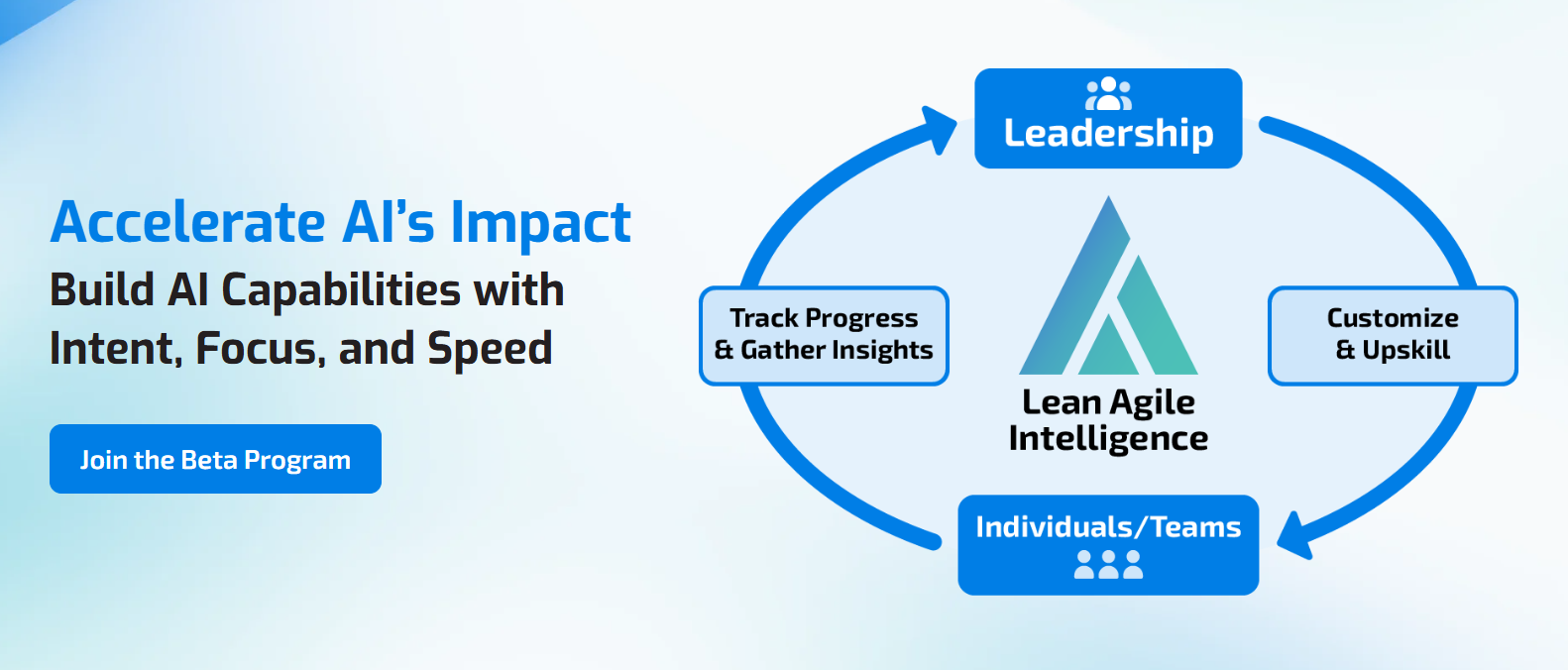
Evaluate Whether AI Tools Are Actually Enabling the Work
Deploying an AI platform creates access.
The more important question is whether the organization's AI tools and platforms are making valuable AI-enabled work easier, more consistent, and increasingly integrated into normal workflows.
Lean Agile Intelligence helps organizations establish a baseline across AI capabilities and determine whether AI technology remains focused primarily on access, has become a standardized organizational capability, or is embedded directly into everyday work.
For AI Tools & Platforms, that means evaluating whether the organization:
- Provides appropriate access to AI tools
- Understands what employees are actually using
- Identifies the capabilities employees need
- Defines standard AI platforms where appropriate
- Maintains a clear AI tool catalog
- Provides practical training and support
- Preserves a path for justified specialized tools
- Integrates AI directly into important workflows
- Measures workflow adoption in addition to tool usage
- Identifies overlapping or redundant technology
- Configures AI platforms around real work
- Uses evidence to expand, specialize, consolidate, or retire tools
- Continuously evolves the technology environment as AI transformation progresses
LAI's AI Enablement & Productivity Assessment establishes a baseline across AI Tools & Platforms and the related capabilities teams need to operationalize AI, identifies gaps, and measures progress over time.
Assess Your AI Tools & Platforms Capability
Prefer to start with early access? Join the AI Assessment Beta Program.