AI Workspace Integration: Embedding AI Into the Flow of Work
By Lean Agile Intelligence Product & Research Team
AI integration becomes meaningful when AI moves beyond a separate tool employees visit and begins participating directly in the applications, systems, and workflows where work already happens.
An employee receives an email. They copy the content into an AI application. They ask for a summary. They copy the response back into the email platform. They open another system to find customer information. They return to AI to revise the response. Then they paste the final version into a work item.
AI helped.
But the employee also spent time:
- Switching applications
- Moving information manually
- Reconstructing context
- Managing the interaction between systems
Multiply that experience across employees and workflows, and an important distinction emerges:
Using AI is not the same as integrating AI into work.
Microsoft's 2026 Work Trend Index found that employees increasingly report AI helping them spend more time on higher-value work and produce work they previously could not. Microsoft's broader conclusion is equally important: the constraint increasingly shifts from what individuals can do with AI toward how work is structured around them.
Google Workspace reflects the same direction by embedding Gemini across Gmail, Docs, Sheets, Meet, and Chat and supporting AI-powered flows across those applications.
Organizations don't simply need employees to have access to AI.
They need AI Workspace Integration.
What Is AI Workspace Integration?
AI Workspace Integration is the organizational capability to make AI available directly within the systems and workflows where employees perform their work.
AI Workspace Integration is one capability within LAI's broader AI Maturity Model, which evaluates the capabilities organizations need to move from AI adoption toward operationalization and measurable business outcomes. It sits within the AI Technology & Data dimension, connecting AI tools to the systems and context employees rely on.
The distinction is straightforward.
Without Integration:
Work → Leave Workspace → Open AI → Recreate Context → Get Result → Copy Result → Return to Work
With Stronger Integration:
Work → AI Participates in Workflow → Human Reviews or Acts → Work Continues
The objective is not simply convenience.
Every time employees leave the flow of work to interact with AI, they often need to:
- Recreate context already available elsewhere
- Transfer information manually
- Switch tools
- Re-enter data
- Decide how to move the AI output into the next step
A stronger AI integration capability helps organizations answer:
- Can employees access AI where they already work?
- Does AI receive the appropriate context without repeated copying?
- Are common AI capabilities connected to core work platforms?
- Which AI interactions deserve direct workflow integration?
- Can AI output move naturally into the next step?
- Are manual handoffs between AI and enterprise systems decreasing?
- Does onboarding automatically provide required integrations?
- Which integrations are actually being used?
- Does the AI workflow require less manual coordination?
- Where does integration create unnecessary complexity?
The goal is not: Put an AI button inside every application.
It is: Make AI available at the right point in the work, with the right context, connected to the action that should happen next.
What Level of AI Workspace Integration Maturity Are You?
Before strengthening AI integration, determine whether AI still sits beside the work or has become a repeatable part of how work moves through the organization.
LAI's AI Workspace Integration Maturity Model uses five levels to describe that progression.
| Level | Where You Are | Primary Focus |
|---|---|---|
| Level 1: Starting | Employees primarily leave their normal workspace, manually provide context to AI, and transfer the output back into the work. | Identify repeated tool switching, copying, and context recreation. |
| Level 2: Emerging | Individuals create their own plugins, connections, and integrations to reduce friction, but practices remain personal and inconsistent. | Harvest the integration patterns already proving useful. |
| Level 3: Enabling | Shared, supported AI workspace integrations provide common AI capabilities inside important work platforms. | Standardize integrations around recurring work contexts. |
| Level 4: Operationalizing | AI is not simply available inside applications; standard AI workflows intentionally retrieve context, generate or analyze information, and move work forward. | Redesign workflows around what integrated AI now enables. |
| Level 5: Optimizing | Integrations continuously change based on usage, workflow performance, employee feedback, new AI capabilities, and remaining friction. | Continuously reduce unnecessary coordination between people, AI, and systems. |
The objective is not to measure how many applications contain AI features.
It is to understand: How naturally does AI participate in the work employees are already performing?
The Five Levels of AI Workspace Integration Maturity
LAI's AI Workspace Integration Maturity Model describes how organizations progress from standalone AI use toward workflow-embedded AI that continuously evolves with the work.
The five levels are: Starting → Emerging → Enabling → Operationalizing → Optimizing
The progression moves from: Separate AI Tools → Individual Connections → Standard Integrations → Workflow-Embedded AI → Continuous Integration Improvement
Initially, employees manually bridge AI and their work applications. Individual experimentation reveals useful connections. Shared integrations make those connections reusable. Workflow redesign makes AI an intentional participant in the work itself.
Measurement and learning then improve:
- Context access
- Tool switching
- Manual handoffs
- Workflow cycle time
- Integration usage
- AI workflow design
The objective is not simply: More integrated AI.
It is: Less friction between AI capability and the work AI is intended to support.

Level 1: Starting — AI Sits Outside the Flow of Work
At the Starting level, AI tools remain largely separate from the applications where employees perform their work.
Employees still use AI.
But the typical experience looks like: Email → Copy → AI → Copy → Email
or: Work Item → Copy Requirements → AI → Generate Analysis → Copy → Work Item
AI contributes to the task.
The employee remains responsible for connecting everything.
Observable Evidence
Common signals include:
- AI accessed primarily through separate applications
- Frequent copying and pasting
- Context manually supplied to AI
- Few embedded AI workspace capabilities
- Employees switching among several systems for one activity
- AI output manually re-entered into enterprise platforms
At this level: AI is somewhere employees go.
It is not yet naturally available where the work occurs.
How to Progress to Emerging
Do not begin by integrating AI everywhere.
Start by identifying where separation between AI and the workspace creates repeated friction.
Look for work where employees repeatedly:
- Copy the same information into AI
- Re-enter context already available elsewhere
- Transfer AI output back into another application
- Switch between several systems
- Recreate the same prompt or interaction
- Use AI frequently outside the application where the work is completed
Choose one high-frequency workflow.
The first objective is not technical sophistication.
It is: Remove one unnecessary handoff between the work and the AI capability supporting it.
Practical Example: Create an AI Workflow Friction Map
Select one team. Identify three workflows where employees already use AI.
For each one, capture: Step → Application → Information Needed → AI Interaction → Manual Transfer → Next Application
For example:
| Step | Current Experience |
|---|---|
| Receive support case | Service platform |
| Gather context | Open CRM + knowledge base |
| Ask AI for summary | Copy information into AI |
| Generate response | Separate AI application |
| Update case | Copy response into service platform |
Then mark every:
- Tool Switch
- Copy / Paste
- Context Recreation
- Manual Handoff
Ask:
Which of these steps would disappear if AI were integrated directly into the workspace?
Turn those opportunities into an AI Workspace Integration Backlog.
Prioritize integrations that remove repeated friction rather than integrations that simply add another AI feature.

Level 2: Emerging — Individuals Connect AI to Their Own Work
At the Emerging level, employees independently create connections between AI and the tools they use.
They:
- Install plugins
- Connect AI applications
- Configure personal automations
- Use AI-generated output inside work items
- Build shortcuts between systems
- Customize their own AI workspace
This is meaningful progress. Employees are discovering where AI fits naturally into real work. But integration remains heavily dependent on individual initiative. One employee develops an effective integrated workflow.
The person beside them still copies information among four applications.
The organization now has: Individual AI integration
without yet having: A shared workspace capability
Observable Evidence
Observable signals include:
- Individual AI plugin usage
- Ad hoc AI connections
- AI output increasingly visible inside work artifacts
- Employees personally configuring integrations
- Different teams independently solving similar integration problems
- Useful connections dependent on technically capable individuals
The organization has begun discovering integration patterns.
Those patterns have not yet become reusable organizational capabilities.
How to Progress to Enabling
Study what advanced users have already created.
Ask:
- Which integrations are employees repeatedly configuring?
- Which applications are most commonly connected to AI?
- What information are employees trying to make available?
- Which manual steps disappear after integration?
- Which integrations create meaningful value?
- Which integrations introduce security, governance, or support concerns?
- Which patterns appear across several teams?
- Which configurations are repeatedly recreated?
The objective is to find:
Repeatable integration needs hidden inside individual experimentation.
Practical Example: Run an AI Integration Harvest
Ask frequent AI users to document connections they have configured.
Capture:
- Workspace
- Where is the employee doing the work?
- AI Capability
- What AI functionality is being used?
- Connection
- How is AI connected?
- Workflow
- What work does the integration support?
- Value
- What manual step disappeared?
- Limitation
- What friction remains?
For example:
| Workspace | AI Integration | Benefit |
|---|---|---|
| AI drafting integration | Reduces switching during email creation | |
| Development environment | Coding assistant | AI available directly during coding |
| Work management | AI summarization | Summaries available inside work items |
| CRM | AI account assistant | Reduces manual customer research |
Then identify the integration patterns most worth supporting centrally.
Instead of centrally guessing what employees need, use actual behavior to understand:
Where AI integration is already improving the flow of work.

Level 3: Enabling — Standard AI Integrations Become Available
At the Enabling level, the organization moves from individually configured integrations toward shared, supported AI workspace integrations.
Approved integrations are defined. Standard connected tools are available. Setup guidance exists. Employees encounter common AI entry points inside important work platforms.
The organization begins establishing a consistent AI workspace experience.
Observable Evidence
Observable evidence includes:
- Approved AI workspace integrations
- Standard connected AI tools
- Documented integration guidance
- Common AI entry points
- AI integrations included in onboarding
- Supported integration ownership
- Clear expectations around appropriate use
The progression is from: "I figured out how to connect AI to my work."
to: "Our organization provides a supported way to use AI here."
How to Progress to Operationalizing
Standardize AI integration around work contexts, not simply applications.
For example:
Communication
AI available within:
- Chat
- Meetings
Knowledge Work
AI available within:
- Documents
- Knowledge repositories
- Enterprise search
Product and Delivery
AI available within:
- Work-management platforms
- Development environments
- Documentation systems
Customer Work
AI available within:
- CRM
- Service-management platforms
- Customer knowledge systems
The principle is: Standardize the connection between AI and recurring work—not simply access to another AI interface.
Practical Example: Create an AI Workspace Integration Catalog
Create a simple internal catalog showing employees where approved AI capabilities already exist.
Email & Communication
- AI Capabilities
- Draft
- Summarize
- Rewrite
- Extract actions
- Available In
- Enterprise communication platform
Meetings
- AI Capabilities
- Notes
- Decisions
- Action extraction
- Follow-up drafting
- Available In
- Meeting platform
Work Management
- AI Capabilities
- Summarize work items
- Draft acceptance criteria
- Analyze dependencies
- Available In
- Work-management platform
Software Development
- AI Capabilities
- Code generation
- Code explanation
- Testing
- Code-review assistance
- Available In
- Development environment
For every integration, document: What It Does → Who Has Access → How to Enable It → Appropriate Use → Support
Then incorporate that catalog into:
- Employee onboarding
- AI enablement
- Role guidance
- Workflow documentation
Employees should increasingly know:
When I'm performing this type of work, the appropriate AI capability is already available here.

Level 4: Operationalizing — AI Becomes Part of Standard Workflows
At the Operationalizing level, AI integration moves beyond embedding features inside applications and becomes part of how the workflow itself operates.
That distinction matters.
An AI button inside a CRM is integration.
A sales workflow that:
- Retrieves account context
- Reviews prior interactions
- Uses AI to create a meeting brief
- Places that brief inside the opportunity
- Gives the salesperson a defined review step
is an AI workflow.
At this level, AI consistently participates in the way work moves through the organization.
Observable Evidence
Observable evidence includes:
- AI embedded within core work platforms
- Standard workflows containing integrated AI steps
- Connected tools reducing manual handoffs
- Less repeated context recreation
- Reduced tool switching
- AI output moving directly into subsequent workflow steps
- Explicit human-review points
At Enabling: Employees have consistent access to integrated AI.
At Operationalizing: The workflow itself expects AI to participate.
How to Progress to Optimizing
Stop asking only: "Where can we embed AI?"
Ask instead: "How should this workflow change now that AI can participate in it?"
Map the workflow and determine where AI should:
- Retrieve information
- Summarize
- Generate
- Analyze
- Recommend
- Route
- Update
- Take defined actions
Then determine where people should:
- Provide intent
- Add judgment
- Validate output
- Handle exceptions
- Make decisions
- Remain accountable
The objective is: Reduce the number of times people act as the integration layer between AI and enterprise systems.
Practical Example: Redesign One Workflow Around Integrated AI
Take a recurring workflow such as customer meeting preparation.
Before AI Integration
- Open CRM
- Review opportunity activity
- Search email
- Find previous meeting notes
- Open AI
- Copy information into a prompt
- Generate meeting brief
- Copy result into CRM or document
- Review
Now redesign it.
Integrated AI Workflow
Step 1: Meeting Is Scheduled
The event triggers the workflow.
Step 2: Relevant Context Is Retrieved
Retrieve:
- Account information
- Opportunity status
- Previous interactions
- Open customer issues
- Previous meeting notes
Step 3: AI Generates the Meeting Brief
Use an organizationally defined structure.
Step 4: Brief Appears in the Employee's Workspace
No manual copy and paste required.
Step 5: Employee Reviews and Adjusts
Human judgment remains explicit.
Step 6: Meeting Outcomes Return to the Workflow
Relevant:
- Notes
- Actions
- Commitments
- Updates
flow back into the appropriate systems.
Then measure:
- Tool-Switching Time
- How much time is spent moving between applications?
- Manual Handoffs
- How many copy/paste or data-entry steps remain?
- Context Recreation
- How often must employees manually provide information the organization already has?
- Workflow Cycle Time
- How long does the overall task take?
- Integration Utilization
- What percentage of eligible work uses the integrated workflow?
- Output Acceptance
- How often does the AI-generated output proceed without substantial revision?
The point is not: AI exists inside the CRM.
It is: The work requires less unnecessary manual coordination because AI and the workspace are connected.

Level 5: Optimizing — Workspace Integration Evolves With the Work
At the Optimizing level, AI workspace integration continuously changes based on usage, workflow performance, employee feedback, new AI capabilities, and evolving work.
Integrations should not become permanent technical fixtures. Workflows change. AI capabilities improve. Employees discover better approaches. Agents take on larger portions of work. An integration that removed friction last year can become a constraint later.
The organization moves from asking: "Is AI integrated?"
to: "Is this still the best way for AI to participate in the work?"
Observable Evidence
Observable signals include:
- Regular workspace-integration reviews
- Existing integrations refined based on evidence
- Additional AI capabilities integrated intentionally
- Low-value integrations removed
- Manual handoffs declining
- Workflow-performance trends reviewed
- Agent workflows introduced where appropriate
How to Sustain and Continuously Improve
Create a continuous AI integration loop: Integrate → Measure → Learn → Refine → Expand
Look beyond AI adoption.
A heavily used integration can still add limited value or create unnecessary complexity.
Review:
- Where employees still leave the primary workspace
- Which integrations are used frequently
- Which capabilities are ignored
- Where manual handoffs remain
- Which context employees still provide manually
- Whether AI has the right organizational context
- Which workflow steps have become candidates for automation
- Where integration adds friction
- Whether intended workflow measures are changing
Do not assume integration alone caused downstream outcomes.
Use workflow evidence to understand whether the integration is supporting the work as intended.
Practical Example: Run a Quarterly AI Workspace Integration Review
Review the highest-use integrated AI workflows.
1. Usage
Ask:
- How frequently is the integration used?
- Which roles use it?
- Where has adoption stalled?
2. Workflow Friction
Ask:
- How many manual handoffs remain?
- Where do employees still switch tools?
- What context is still supplied manually?
- Where is information transferred unnecessarily?
3. Performance
Track relevant measures such as:
- Cycle time
- Throughput
- Task completion time
- Rework
- Output acceptance
4. Integration Effectiveness
Ask employees:
- Which integration removes meaningful effort?
- Which feels redundant?
- Where does AI appear at the wrong point?
- Which additional connection would eliminate manual work?
- Which integration creates extra complexity?
5. Improvement
Choose: Keep → Refine → Automate → Expand → Remove
Turn the decisions into an AI Workspace Integration Improvement Backlog.
| Improvement | Reason | Measure |
|---|---|---|
| Automatically retrieve CRM context | Employees still copy information manually | Tool-switching time |
| Add AI to intake workflow | High-volume manual classification | Cycle time |
| Remove unused AI side panel | Minimal usage | Workspace complexity |
| Add agent workflow | Repetitive multi-system process | Manual handoffs |
| Improve knowledge integration | Employees repeatedly supply context | Output acceptance |
As AI capabilities evolve, integration increasingly moves from: AI assisting inside one application
toward: AI coordinating defined work across multiple applications
Optimization means making AI increasingly connected to the work while making the mechanics of interacting with AI less visible to the employee.
Connecting AI Integration to AI Adoption
AI integration strengthens AI adoption when the appropriate AI capability becomes easier to access within the work employees already perform.
This distinction matters. Early AI adoption often depends on employee initiative.
The employee must:
- Remember AI exists
- Leave the current application
- Decide what to ask
- Supply the context
- Transfer the output
- Reconnect it to the work
That creates friction.
A stronger progression is: AI Access → AI Adoption → Workspace Integration → Workflow Integration → Continuous Improvement
- AI Access
- Employees have an AI tool.
- AI Adoption
- Employees begin using it.
- Workspace Integration
- AI becomes available where employees already work.
- Workflow Integration
- The workflow determines when AI participates, what context it receives, what it produces, and where human judgment remains.
- Continuous Improvement
- Usage and workflow evidence change how AI participates over time.
This is why AI adoption alone is not the maturity target.
The more important question is: Has useful AI behavior become easier to perform consistently because the workspace and workflow now support it?
Related capabilities: AI Task Automation, AI Content Generation
Key Takeaway
AI Workspace Integration maturity isn't achieved when an organization adds AI buttons to its applications. It is demonstrated when AI consistently participates in real workflows, reduces unnecessary manual handoffs and context recreation, and continuously evolves based on how the work itself changes.
From AI Access to Workflow-Embedded AI
AI integration becomes operationalized when employees no longer need to manually bridge AI and their work because repeatable AI interactions are embedded directly into standard workflows.
AI adoption often begins outside the workflow. An employee opens an AI application, asks for help, and returns to the work.
That creates useful individual capability. Operationalization requires a more systematic model.
The maturity model progresses from:
Separate AI Tools → Individual Connections → Standard Integrations → Workflow-Embedded AI → Continuous Integration Improvement
Initially, AI exists beside the work. Employees begin connecting AI to the tools they use. Standard integrations make those connections repeatable.
Workflow redesign turns AI into an intentional participant in everyday work.
Measurement and learning then improve how those integrations operate.
That is the difference between: Using an integrated AI feature
and: Designing an AI workflow
Standalone AI applications still remain useful for:
- Exploration
- Open-ended reasoning
- Research
- Ad hoc knowledge work
The objective is not to eliminate them.
It is to recognize when an AI interaction becomes: Repeatable + Valuable + Central to the Workflow
and stop requiring employees to leave the work and manually recreate that interaction every time.
The strongest AI workspace increasingly makes AI feel less like: Another tool employees must manage
and more like: A capability available naturally when the work requires it.
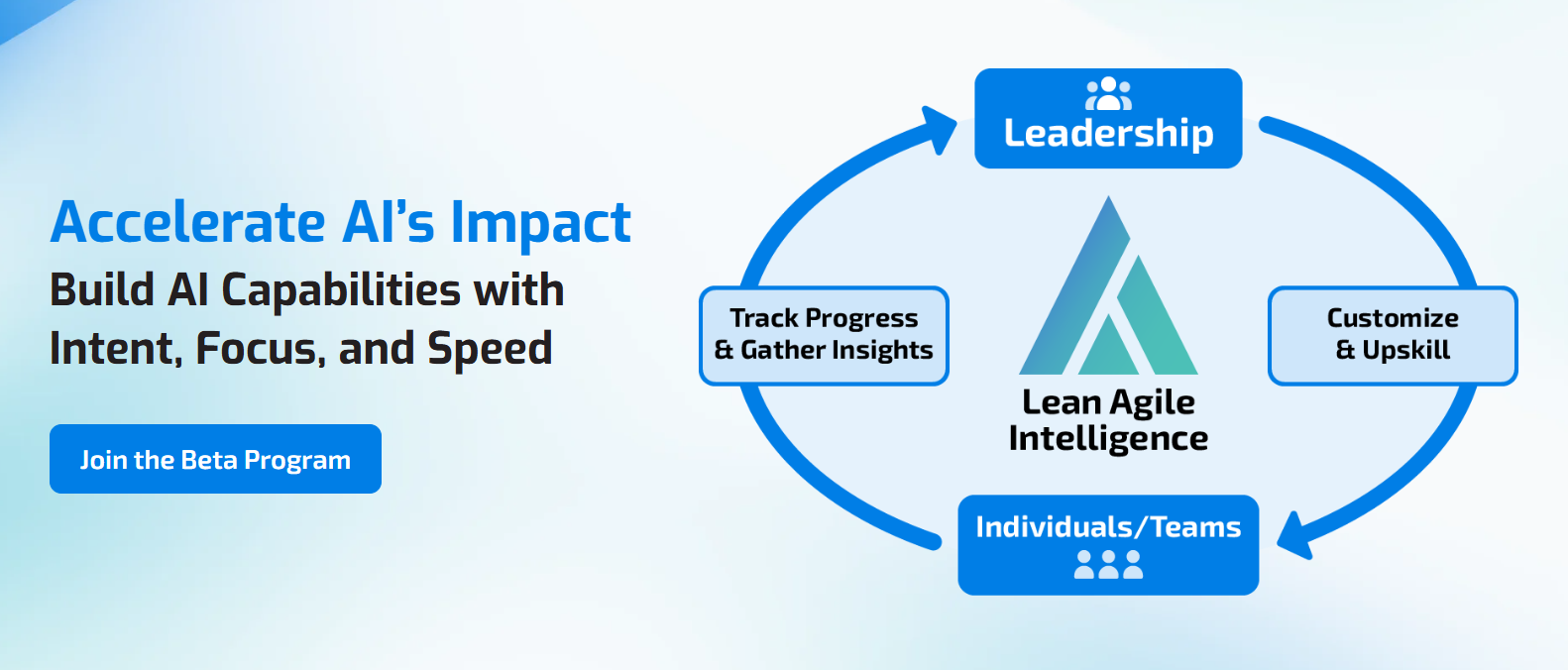
Evaluate Whether AI Is Actually Integrated Into the Work
Providing employees with AI access is a useful starting point.
The more important question is whether AI integration is reducing the manual effort required to move between AI and the systems where work actually occurs.
Lean Agile Intelligence helps organizations establish a baseline across AI capabilities and determine whether AI integration remains dependent on individual effort, has become a shared workspace capability, or is embedded directly into standard AI workflows.
For AI Workspace Integration, that means evaluating whether the organization:
- Identifies repeated tool switching and manual handoffs
- Captures useful employee-created integration patterns
- Defines supported AI workspace integrations
- Makes integrations discoverable
- Includes appropriate integrations in onboarding
- Connects AI to relevant organizational context
- Reduces repeated copy-and-paste activity
- Reduces manual context recreation
- Embeds AI steps directly into recurring workflows
- Makes human-review points explicit
- Measures integration utilization
- Measures workflow cycle time and rework
- Removes integrations that no longer create value
- Continuously improves how AI participates in the flow of work
LAI's AI Enablement & Productivity Assessment establishes a baseline across AI Workspace Integration and the related capabilities teams need to operationalize AI, identifies gaps, and measures progress over time.
Assess Your AI Workspace Integration Capability
Prefer to start with early access? Join the AI Assessment Beta Program.